Chase is the largest bank in the United States. More business checking accounts than anyone else. Their statements are bold, blocky, and confident - big section headers, clean dividers, plenty of whitespace. It feels like a bank that knows what it's doing.

Then you try to parse one programmatically and realize Chase does things very differently from other banks.
Page One: Fee Notices, Not Transactions
The first thing you'll find on a Chase business statement isn't your account data. It's this:
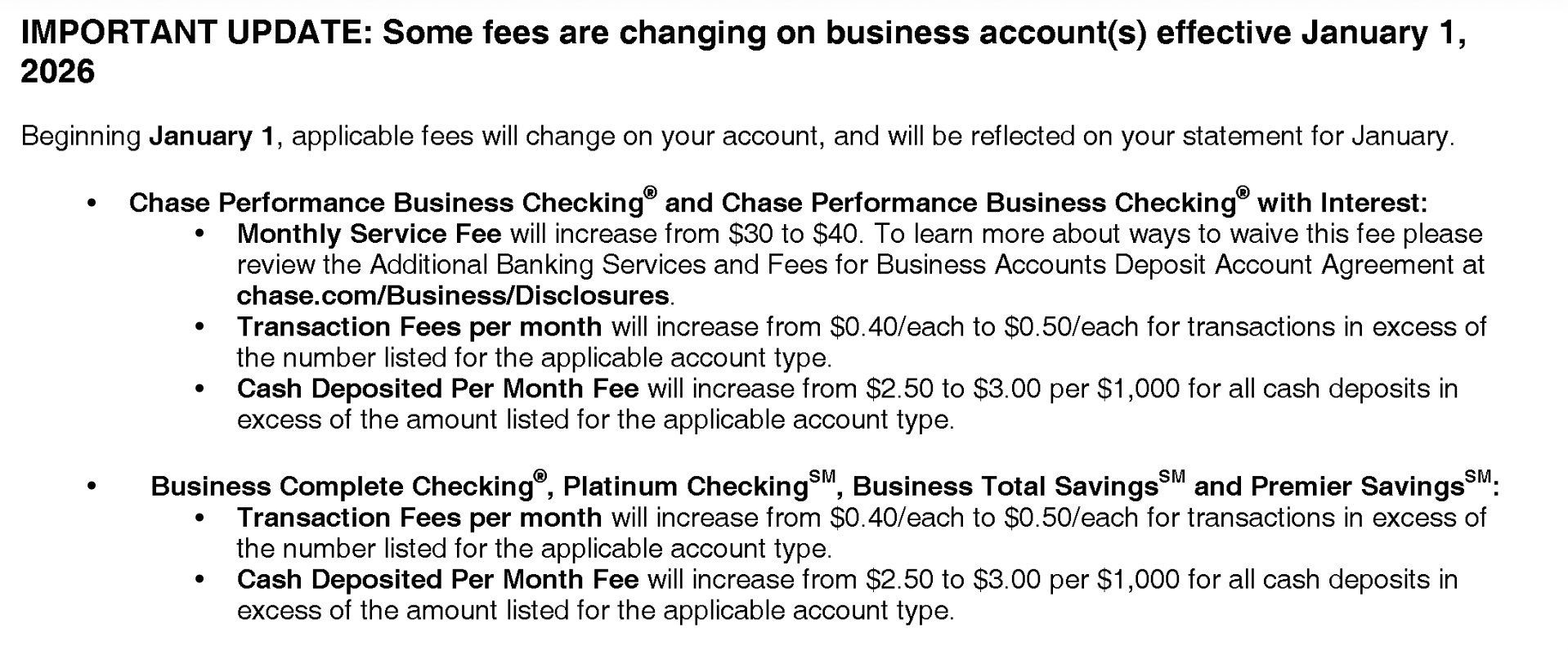
"IMPORTANT UPDATE: Some fees are changing on business account(s)." Then bullet after bullet of fee increases, policy changes, and references to chase.com/Business/Disclosures. Dense, nested text with trademark symbols and superscript marks scattered throughout.
For a parser, this is a nightmare of unstructured text sitting exactly where you'd expect useful data to start. It's not a table. It's not transactions. It's legal notices that happen to contain dollar amounts like "$0.40/each to $0.50/each" - numbers that could easily be mistaken for transaction amounts by an AI extraction tool that doesn't know the difference.
The Checking Summary
Scroll past the notices and you'll find the account summary:
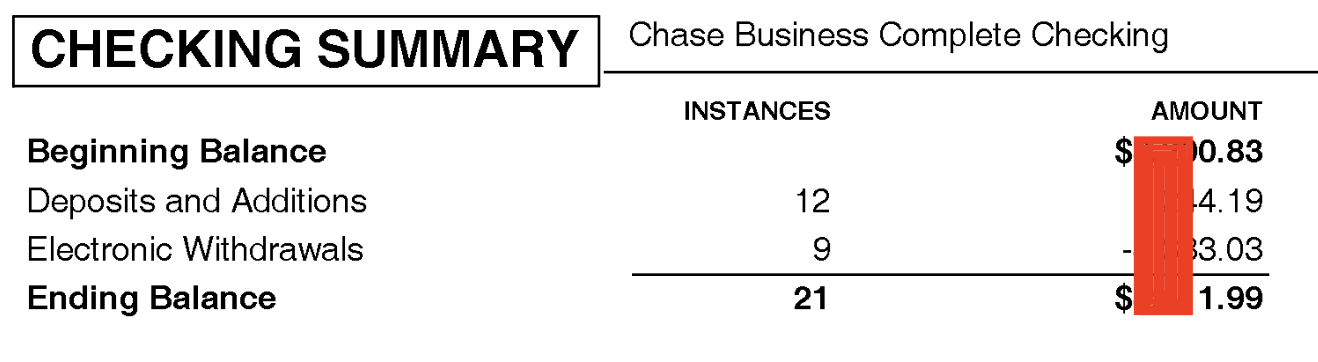
CHECKING SUMMARY. Beginning Balance. Deposits and Additions. Electronic Withdrawals. Ending Balance. Chase even tells you the number of instances - 12 deposits, 9 withdrawals, 21 total. That's genuinely useful.
A parser can use these numbers as a double check. Extract all the transactions, count them, and compare against the summary. If you found 20 transactions instead of 21, you know something was missed. Not every bank gives you this kind of built-in verification.
Credits and Debits: Separate Worlds
Here's where Chase really diverges from the norm. Most banks show transactions in a single chronological table - date, description, money in, money out, balance. One table, everything in order.
Chase doesn't do that. Credits and debits live in completely separate sections:


"DEPOSITS AND ADDITIONS" is its own section with Date, Description, and Amount. Then separately, "ELECTRONIC WITHDRAWALS" with the same columns. Two distinct tables, two distinct sections.
This means if you want a chronological view of all transactions - which is what most people need in their spreadsheet - you can't just extract one table. You need to extract both tables, tag each row as a credit or debit, merge them together, and then sort by date. That's extra logic that most generic PDF tools don't handle.
And notice: there's only an Amount column. No separate columns for credits and debits. No running balance. Just a date, a description, and an amount. You have to know which section you're in to know whether that amount is money coming in or going out.
No Running Balance
Most banks include a running balance alongside each transaction so you can track the account position after every entry. Chase takes a different approach entirely:
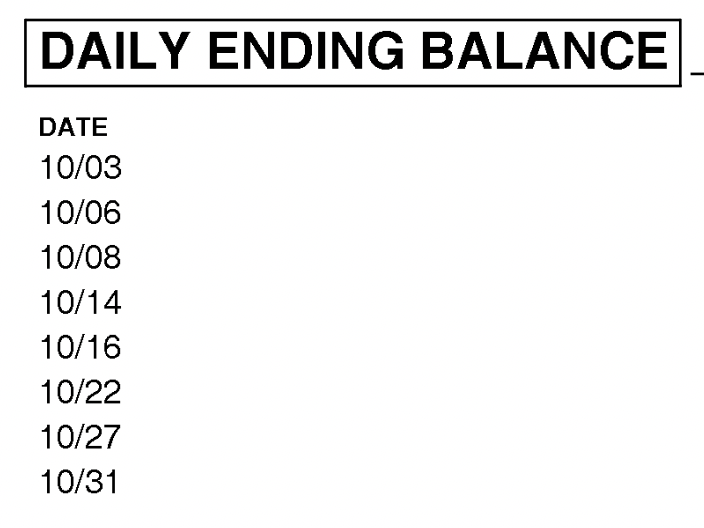
"DAILY ENDING BALANCE." A completely separate section at the end of the statement. It lists the balance at the close of each day, detached from the transactions themselves.
This makes per-transaction verification impossible. You can check the balance at the end of October 3rd, but if there were five transactions that day, you can't verify each one individually. You'd need to sum all transactions for that date and compare against the daily balance - which is doable but requires linking data across separate sections of the document.
This Page Intentionally Left Blank
And then there's the last page:

"This Page Intentionally Left Blank." That's the entire content of the final page.
It's there for double-sided printing. Chase includes it so the statement doesn't end with a half-printed back page. Makes sense physically. But a parser processing every page of the PDF will hit this and needs to handle it gracefully - not throw an error because it expected data and found a sentence instead.
Well Structured, Uniquely Organized
Chase statements aren't messy. They're actually well organized - just organized differently from everyone else. The separate credit and debit sections, the standalone daily balances, the instance counts in the summary. It's a format designed for reading, not for data extraction.
Parsing a Chase statement correctly means understanding this unique structure: skip the fee notices, extract two separate transaction tables, merge them into one timeline, and reconcile against a daily balance table that lives in its own section. It's not hard once you know the format. But a generic tool that doesn't know Chase's layout will give you incomplete or jumbled results every time.
Got a Chase Statement?
We handle the quirks so you don't have to. First conversion free.
Convert a Statement