Not every bank statement comes from a household name. First Capital Bank of Texas is a community bank - the kind of bank where a small business owner walks in, knows the branch manager, and gets a handshake with their loan. Thousands of these banks exist across the US, and each one generates statements in their own format.

First Capital Bank of Texas is a good example of what community bank statements look like - and why they can be surprisingly tricky to parse.
Stock Photos and Marketing
The statement opens with a "Summary of Accounts" section. Sounds useful. Then you see this:
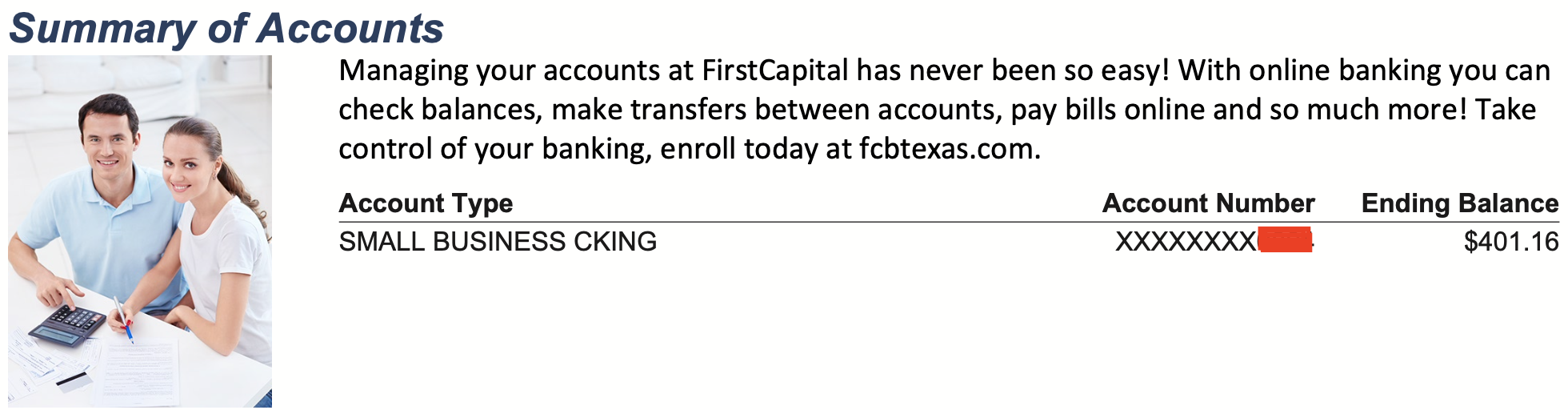
A stock photo of a smiling couple. A marketing paragraph about online banking at fcbtexas.com. Then, finally, a small table: Account Type, Account Number, Ending Balance.
The account type reads "SMALL BUSINESS CKING." Not "Checking" - "CKING." Abbreviated, all caps, and truncated. This matters because if your parser tries to identify the account type to determine how to process the statement, it needs to know that "CKING" means "Checking." It's a small thing, but multiply it across hundreds of community banks with their own abbreviations and you've got a real problem.
And that stock photo isn't just visual noise - it's an embedded image in the PDF that sits right next to the summary data. Some PDF extraction tools will try to interpret the space around the image as part of the table layout, throwing off column alignment.
The Account Summary
Below the marketing section, you get the actual account summary:
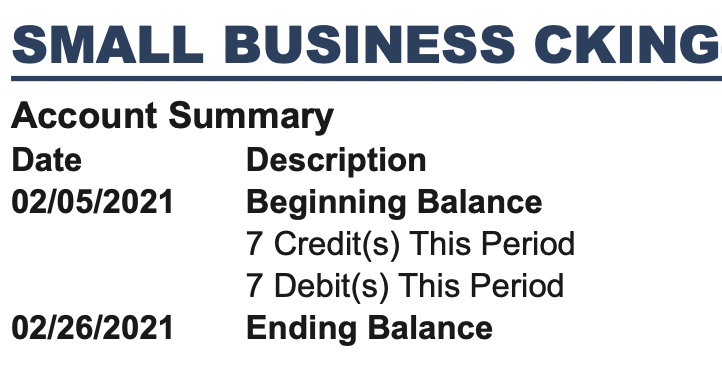
"SMALL BUSINESS CKING." Beginning Balance on 02/05/2021. 7 Credit(s) This Period. 7 Debit(s) This Period. Ending Balance on 02/26/2021.
The transaction counts are useful - 7 credits and 7 debits, 14 total. Like Chase's instance counts, you can use these to verify your extraction is complete. But notice the format: "7 Credit(s) This Period." The "(s)" is an odd touch - it's trying to handle both singular and plural in one label. A parser looking for the number needs to extract "7" from a line that reads "7 Credit(s) This Period" and understand that's a count, not a transaction amount.
Three Separate Transaction Sections
Here's where First Capital Bank takes things further than most. Chase splits transactions into two sections - credits and debits. First Capital Bank splits them into three:



"Deposits." "Electronic Credits." "Other Debits." Three sections, each with the same three columns: Date, Description, Amount.
The first two are both money coming in - but split by type. Cash and check deposits in one section, electronic transfers in another. Then debits in a third. To build a chronological transaction list, you need to extract all three tables, tag the first two as credits and the third as debits, merge them, and sort by date.
And the naming is confusing. "Deposits" and "Electronic Credits" are both credits. "Other Debits" implies there might be regular debits somewhere else - but there aren't always. The section names don't follow a consistent pattern, and they can vary depending on what types of transactions occurred that month. A statement with check payments might have a "Checks Paid" section. One with wire transfers might add yet another section. Your parser can't hardcode three sections - it needs to handle however many appear.
No Running Balance
Like Chase and Wells Fargo, there's no running balance on individual transactions. Each section just shows Date, Description, and Amount. You get the beginning and ending balance in the summary, and that's your only verification point.
With transactions split across multiple sections, this makes it even harder to spot extraction errors. If you're missing one deposit from the "Electronic Credits" section, the only way to catch it is to sum everything up and compare against the ending balance. There's no per-transaction checkpoint along the way.
The Community Bank Problem
First Capital Bank of Texas isn't unique in how it structures its statements. It's representative. There are over 4,000 community banks in the US, and many of them use similar statement generation software with similar quirks: stock photos in the header, abbreviated labels, transactions fragmented across multiple sections, no running balances.
The big banks - Chase, Wells Fargo, Bank of America - get all the attention because of their volume. But if you're an accountant or bookkeeper serving small businesses, community bank statements are what lands on your desk. They're the ones that generic PDF tools handle worst, because nobody's built specific parsers for them.
That's exactly the kind of statement we built US Statement Converter to handle. Not just the Big Four, but the long tail of regional and community banks that real businesses actually use.
Got a Community Bank Statement?
We handle statements from thousands of US banks. First conversion free.
Convert a Statement