Wells Fargo is one of the Big Four US banks. Huge customer base, especially with small businesses. Their statements have a certain old-school corporate feel to them - serif fonts, wide layouts, lots of whitespace. Professional looking.

But when you try to extract the transaction data, Wells Fargo statements have some surprises that make them trickier than they look.
Page One: No Transactions
Open a Wells Fargo business statement and the first page gives you this:

"Your Business and Wells Fargo." A thank-you message. A loyalty blurb. No transactions anywhere on the first page.
This is a problem for parsers that expect to find transaction data on page one. They'll scan the entire page, find nothing useful, and either throw an error or start misinterpreting the marketing text as data. You need to know that Wells Fargo buries the actual financial content starting on page two.
A Clean Activity Summary
When you do get to page two, Wells Fargo gives you something genuinely useful:
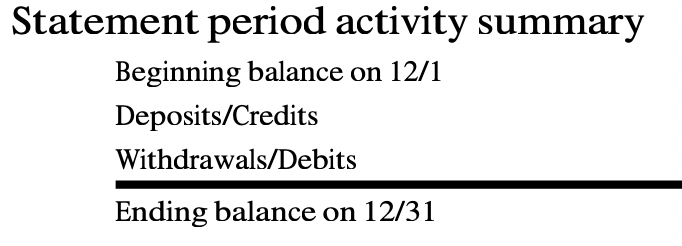
Statement period activity summary. Beginning balance. Deposits/Credits. Withdrawals/Debits. Ending balance. Dates included. This is one of the better summaries you'll find on any US bank statement.
For a parser, this is gold - you can use these totals to verify that every transaction was extracted correctly. If your deposits don't add up to the summary figure, you know something was missed. Not every bank gives you this kind of checksum.
The Transaction Table
Below the summary, the transaction history begins:

Date. Check Number. Description. Deposits/Credits. Withdrawals/Debits. Ending daily balance. Six columns, clearly labeled. The Check Number column is a nice touch for business accounts - it means you can match payments back to specific checks.
But notice that last column. It says "Ending daily balance" - not "Balance" or "Running balance." That distinction matters.
Daily Balances, Not Running Balances
Most bank statements show a running balance that updates after every transaction. Wells Fargo doesn't do that. They show the balance at the end of each day.

Look at this deposit - $1,280.00 coming in. But where's the balance? It's blank. If there are multiple transactions on the same day, only the last one shows the ending daily balance. The rest have an empty balance column.
For a parser expecting a balance on every row, this creates gaps. You can't verify each transaction individually against a running total. You can only check the balance at the end of each day. And if your extraction misses one transaction in a busy day with ten entries, the daily balance won't tell you which one went wrong.
The Totals Row
At the very end of the transaction list, Wells Fargo includes this:

Totals. $6,895.20 in deposits, $13,164.64 in withdrawals. Useful for verification, but it's not a transaction. It's a summary row sitting right there in the transaction table.
A naive parser will include this as the last transaction in your spreadsheet. Suddenly your totals are doubled because the sum row got added to the actual transactions. You need to recognize it and either strip it out or move it to a separate summary section.
Solid Format, Subtle Traps
Wells Fargo statements are actually one of the better-designed formats out there. The activity summary is useful. The column headers are clear. The Check Number field is a thoughtful addition for business accounts.
But the empty first page, the daily-only balances, and the totals row embedded in the transaction table are the kind of details that separate a parser that works on sample documents from one that works on real statements. Every Wells Fargo statement has these patterns, and you need specific logic to handle each one.
Got a Wells Fargo Statement?
We handle the quirks so you don't have to. First conversion free.
Convert a Statement